 |
Do your eyes feel tired at the end
of a day of computer work? If so, you are not alone. |
|||
|
Do your eyes feel tired at the end
of a day of computer work? If so, you are not alone. |
|||
Computers and Vision
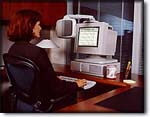
Do your eyes feel tired at the end of a day of computer work? Do you have headaches, or neck and back aches? If so, you are not alone. A 1995 NIOSH Study estimated that 88 percent of computer users experienced some form of visual and/or muskuloskeletal discomfort while working on the computer.
The eye strain, headaches and other visual symptoms experienced while using the computer have been labelled Computer Vision Syndrome (CVS) by the American Optometric Association. Included in the definition are neck and back aches which result from trying to view the monitor through inappropriate vision correction.
What can you do to prevent CVS? The two key elements to comfort while using the computer are the workstation and your eyes!
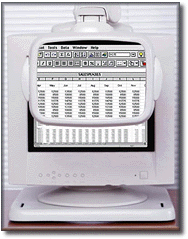
Workstation ergonomics includes consideration of the following visual elements:
- The monitor should be from 20 to 28 inches in front of you.
- You should look slightly downward at your monitor. Setting it up so you can just see over the top of it provides reasonable placement.
- If glare is a problem, check for glare sources by viewing the monitor when it is off (any reflections on the dark screen are glare sources, which should be eliminated when possible). A glare filter can be useful – look for one with the American Optometric Association Seal of Acceptance.
 |
In
addition to an adequately designed workspace, you need
appropriate eye care:
|
|||
Vision is one of the most complex senses, and monitors provide some of the most complex visual images. Use the hints above to reduce the eye strain or visual discomfort you might experience while using the computer!
 |
 |
 |
 |
|
| Because It's The Right Thing To Do. | |||
Send mail to editor@biznetonline.com with questions or comments about this web
site.
Copyright © 1997 ~BizNet OnLine Magazine
Last modified: November 08, 2002